Understanding the Difference
When building a website on WordPress, one of the first decisions you’ll face is choosing between shared hosting and managed WordPress hosting. They sound similar, but they deliver completely different experiences.
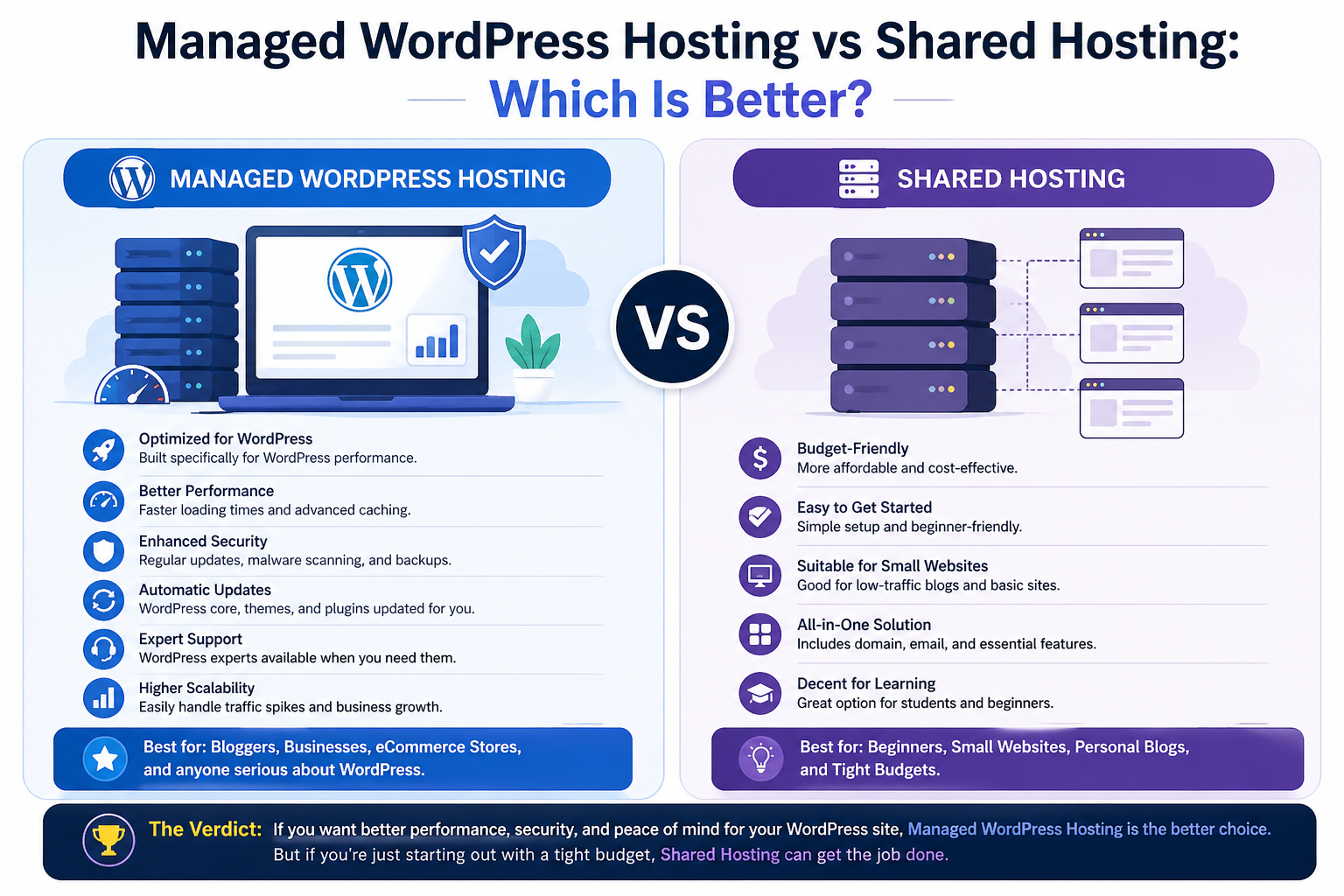
Shared hosting is affordable but comes with limited resources. Your website lives on a server alongside dozens or even hundreds of other sites. You all share the same CPU, memory, and bandwidth. If one site gets a traffic surge, yours slows down too. You’re also responsible for your own updates, backups, and security patches.
Managed WordPress hosting, on the other hand, is optimized specifically for WordPress sites. The entire server environment is fine-tuned to run WordPress faster and more securely. Automatic updates, daily backups, staging sites, and expert support are included. You don’t have to worry about technical maintenance—you just focus on creating content and growing your business.
Think of shared hosting as renting a room in a busy hostel, while managed hosting is like having your own apartment with a dedicated maintenance team.
When to Choose Shared Hosting
If you’re just starting a blog or small website, shared hosting is a budget-friendly option. It’s also a good fit for:
- Personal blogs with low traffic (under 5,000 visits per month)
- Hobby websites or online portfolios
- Test sites or learning projects
- Small local business sites with basic information and a contact form
- Anyone on a tight budget who wants to keep monthly costs under $5
Shared hosting providers like Bluehost, HostGator, and DreamHost offer simple onboarding, free domains, and one-click WordPress installation. For less than the price of a coffee per week, you can have a live website.
However, be realistic about your growth. If your traffic doubles or triples, shared hosting will quickly become a bottleneck. Slow loading times, frequent downtime, and limited customer support are common complaints as sites outgrow shared environments.
When Managed Hosting Makes Sense
If your site is growing and you want better performance, automatic updates, and expert support, managed WordPress hosting is the better choice. Consider switching to managed hosting if:
- Your site gets over 10,000 monthly visitors (or you expect rapid growth)
- You run an eCommerce store (WooCommerce or Easy Digital Downloads)
- Your business depends on your website for leads, sales, or client bookings
- You hate doing updates (plugins, themes, and WordPress core)
- You’ve experienced a hack or malware infection in the past
- You want staging environments to test changes before going live
Managed hosting providers like WP Engine, Kinsta, and Flywheel build their entire platform around WordPress. They offer server-level caching, built-in CDNs, automatic daily backups, and proactive security monitoring. Their support teams are trained WordPress experts—not generalists reading from a script.
For a growing business, the extra cost is an investment in reliability, speed, and peace of mind.
Comparison Table
To help you decide at a glance, here’s how shared hosting and managed WordPress hosting compare side by side:
| Feature | Shared Hosting | Managed WordPress Hosting |
|---|---|---|
| Price | Low (2–10/month) | Higher (15–100+/month) |
| Speed | Moderate | High (server-level caching, CDN) |
| Security | Basic (shared environment) | Advanced (firewalls, malware scanning, isolation) |
| Support | General (deals with all hosting issues) | WordPress experts (core, plugin, theme help) |
| Automatic Updates | No (you handle them) | Yes (core updates with testing) |
| Daily Backups | Usually extra cost | Included |
| Staging Site | Rarely available | Standard feature |
| Uptime Guarantee | 99.9% (varies) | 99.95%–99.99% |
| Best For | Beginners, hobby sites, low traffic | Growing businesses, eCommerce, high traffic |
Hidden Costs You Should Know
Before making a decision, consider these often-overlooked factors:
Shared hosting hidden costs:
- Premium backup services (2–5/month)
- SSL certificates (though many now include free Let’s Encrypt)
- Malware removal (50–200 per incident)
- Your own time spent on updates and troubleshooting
Managed hosting value adds:
- Developer tools (Git, WP-CLI, SSH access)
- Performance monitoring and optimisation
- Free migrations from your old host
- Higher Google rankings (thanks to faster load times)
Final Thoughts
For beginners, shared hosting works fine. It’s how millions of websites started. You can learn the ropes, publish content, and prove your idea without spending much money.
But if you want to scale and earn more revenue, managed WordPress hosting is a smart upgrade. The leap from 5/monthto25/month might seem large, but consider what you get in return: faster load times that reduce bounce rates, better security that prevents costly hacks, and expert support that saves you hours of frustration.
Here’s a simple rule to guide your decision:
- Under 5,000 monthly visits and no eCommerce? Start with shared hosting.
- Between 5,000–10,000 visits or selling products? Consider switching to managed.
- Over 10,000 visits or running a business-critical site? Choose managed WordPress hosting.
Your hosting isn’t just a technical expense—it’s the foundation of your online presence. Choose wisely, and your website will reward you with better performance, happier visitors, and more revenue.
Disclaimer: Prices and features vary by provider. Always check current plans and terms before purchasing. Shared hosting prices shown reflect promotional first-term rates.